> ## Documentation Index
> Fetch the complete documentation index at: https://docs.useinvent.com/llms.txt
> Use this file to discover all available pages before exploring further.
# API Keys
> Generate API keys to programmatically access the Invent API
API keys allow you to programmatically interact with Invent. Use them to build custom integrations, automate workflows, or access your data through the API.
 ## Creating an API Key
1. Go to **Settings** → **API Keys** ([useinvent.com/o/settings/api-keys](https://useinvent.com/o/settings/api-keys))
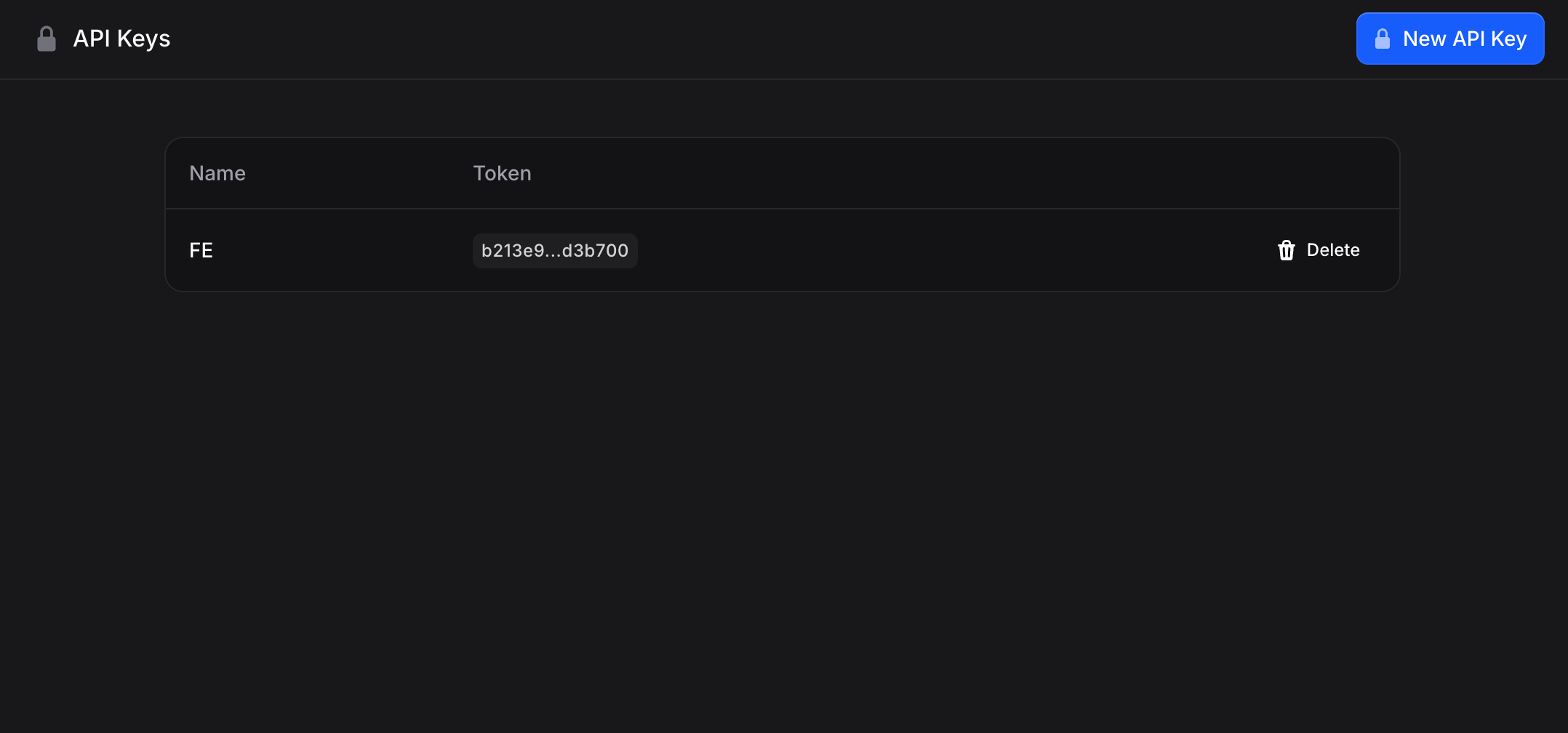
2. Click **New API Key** in the top right
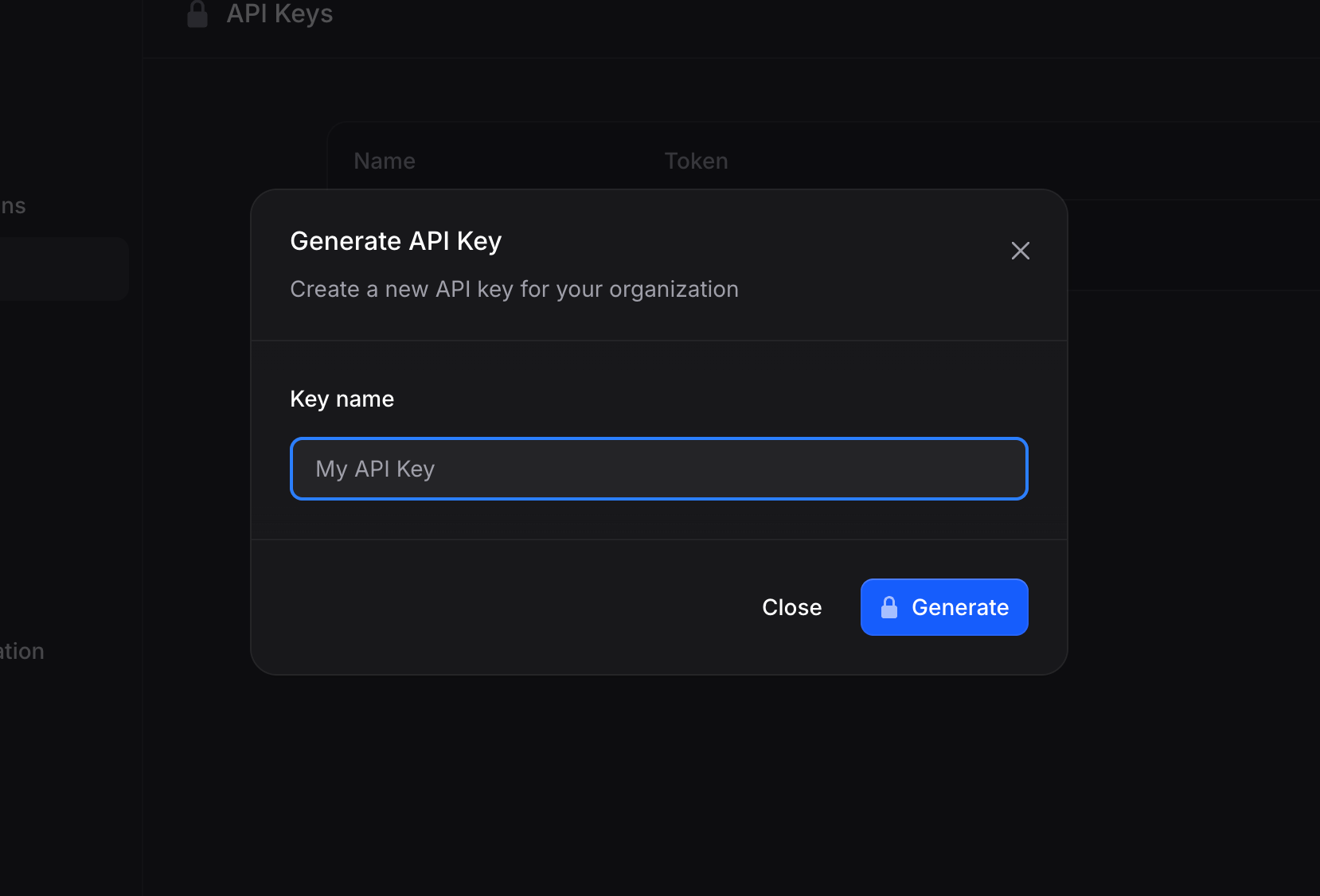
3. Enter a name for your key (e.g., "Production Server" or "Development")
4. Click **Generate**
5. Copy the API key immediately - you won't be able to see it again
## Creating an API Key
1. Go to **Settings** → **API Keys** ([useinvent.com/o/settings/api-keys](https://useinvent.com/o/settings/api-keys))
2. Click **New API Key** in the top right
3. Enter a name for your key (e.g., "Production Server" or "Development")
4. Click **Generate**
5. Copy the API key immediately - you won't be able to see it again
 **Important**: Store your API key securely. It provides full access to your organization's data.
## Using API Keys
Include your API key in the `Authorization` header of your requests:
```bash theme={"system"}
Authorization: Bearer YOUR_API_KEY
```
### Organization in the URL
Most API resources live under an org-scoped path:
```
https://api.useinvent.com/orgs/{org_id}/...
```
Path parameter **`org_id`** is the workspace (organization) ID, or the shorthand below.
### The `c` (current org) shorthand
Use **`c`** as `org_id` to mean **the organization this API key is for** (the workspace selected when the key was created). Authenticating with the key sets that org as the “current” org on the request, so you do not have to paste a workspace UUID in every path.
**Example: list assistants in the key’s workspace:**
```bash theme={"system"}
curl -X GET "https://api.useinvent.com/orgs/c/assistants" \
-H "Authorization: Bearer YOUR_API_KEY"
```
For any other workspace (including a sub-organization), put that workspace’s **real organization id** in the path. **Do not use `c`**: it always means only the org the key was created in.
### Parent organization keys and sub-organizations
An API key created in a **parent** (agency) organization can be used to call **every org-scoped endpoint** for **any of its sub-organizations**: the same routes you use for a normal workspace, with the **sub-organization’s id** as `{org_id}` (for example `https://api.useinvent.com/orgs/SUB_ORG_ID/assistants`).
* With a **parent** key, **`c` is always the parent org**. To hit a sub-org you must **specify that sub-org’s id** in the path; there is no shorthand for “current sub-org.”
* A key created in a **sub-organization** can only access that sub-org (and not sibling sub-orgs or other workspaces), unless you use a separate key from the parent.
## Managing API Keys
Each API key shows:
* **Name**: The identifier you provided
* **Token**: A preview of the key (full key only shown once at creation)
* **Delete**: Remove the key to revoke access
To delete an API key:
1. Find the key in the list
2. Click the trash icon
3. Confirm deletion
Once deleted, any services using that key will immediately lose access.
## Security Best Practices
1. **Use descriptive names**: Name keys by their purpose ("Production", "Staging", "Local Dev")
2. **Rotate keys regularly**: Delete old keys and create new ones periodically
3. **Never commit keys to code**: Use environment variables instead
4. **Delete unused keys**: Remove keys that are no longer needed
5. **Use separate keys for different environments**: Don't share keys between production and development
## API Documentation
For complete API documentation, including endpoints, parameters, and examples, visit the [API Reference](/api-reference/getting-started/introduction).
The Invent API uses REST principles with:
* **Base URL**: `https://api.useinvent.com`
* **Authentication**: Bearer token (your API key)
* **Rate Limit**: 500 requests per minute per IP address
* **Response Format**: JSON
**Important**: Store your API key securely. It provides full access to your organization's data.
## Using API Keys
Include your API key in the `Authorization` header of your requests:
```bash theme={"system"}
Authorization: Bearer YOUR_API_KEY
```
### Organization in the URL
Most API resources live under an org-scoped path:
```
https://api.useinvent.com/orgs/{org_id}/...
```
Path parameter **`org_id`** is the workspace (organization) ID, or the shorthand below.
### The `c` (current org) shorthand
Use **`c`** as `org_id` to mean **the organization this API key is for** (the workspace selected when the key was created). Authenticating with the key sets that org as the “current” org on the request, so you do not have to paste a workspace UUID in every path.
**Example: list assistants in the key’s workspace:**
```bash theme={"system"}
curl -X GET "https://api.useinvent.com/orgs/c/assistants" \
-H "Authorization: Bearer YOUR_API_KEY"
```
For any other workspace (including a sub-organization), put that workspace’s **real organization id** in the path. **Do not use `c`**: it always means only the org the key was created in.
### Parent organization keys and sub-organizations
An API key created in a **parent** (agency) organization can be used to call **every org-scoped endpoint** for **any of its sub-organizations**: the same routes you use for a normal workspace, with the **sub-organization’s id** as `{org_id}` (for example `https://api.useinvent.com/orgs/SUB_ORG_ID/assistants`).
* With a **parent** key, **`c` is always the parent org**. To hit a sub-org you must **specify that sub-org’s id** in the path; there is no shorthand for “current sub-org.”
* A key created in a **sub-organization** can only access that sub-org (and not sibling sub-orgs or other workspaces), unless you use a separate key from the parent.
## Managing API Keys
Each API key shows:
* **Name**: The identifier you provided
* **Token**: A preview of the key (full key only shown once at creation)
* **Delete**: Remove the key to revoke access
To delete an API key:
1. Find the key in the list
2. Click the trash icon
3. Confirm deletion
Once deleted, any services using that key will immediately lose access.
## Security Best Practices
1. **Use descriptive names**: Name keys by their purpose ("Production", "Staging", "Local Dev")
2. **Rotate keys regularly**: Delete old keys and create new ones periodically
3. **Never commit keys to code**: Use environment variables instead
4. **Delete unused keys**: Remove keys that are no longer needed
5. **Use separate keys for different environments**: Don't share keys between production and development
## API Documentation
For complete API documentation, including endpoints, parameters, and examples, visit the [API Reference](/api-reference/getting-started/introduction).
The Invent API uses REST principles with:
* **Base URL**: `https://api.useinvent.com`
* **Authentication**: Bearer token (your API key)
* **Rate Limit**: 500 requests per minute per IP address
* **Response Format**: JSON