> ## Documentation Index
> Fetch the complete documentation index at: https://docs.useinvent.com/llms.txt
> Use this file to discover all available pages before exploring further.
# Referrals
> Share your referral link and earn credits when the workspaces you refer start paying
Every workspace has a referral link. Share it, and both sides get credits: the workspace that signs up through your link starts with credits on its balance, and you earn credits once it makes its first payment.
Open **Settings → Referrals**.
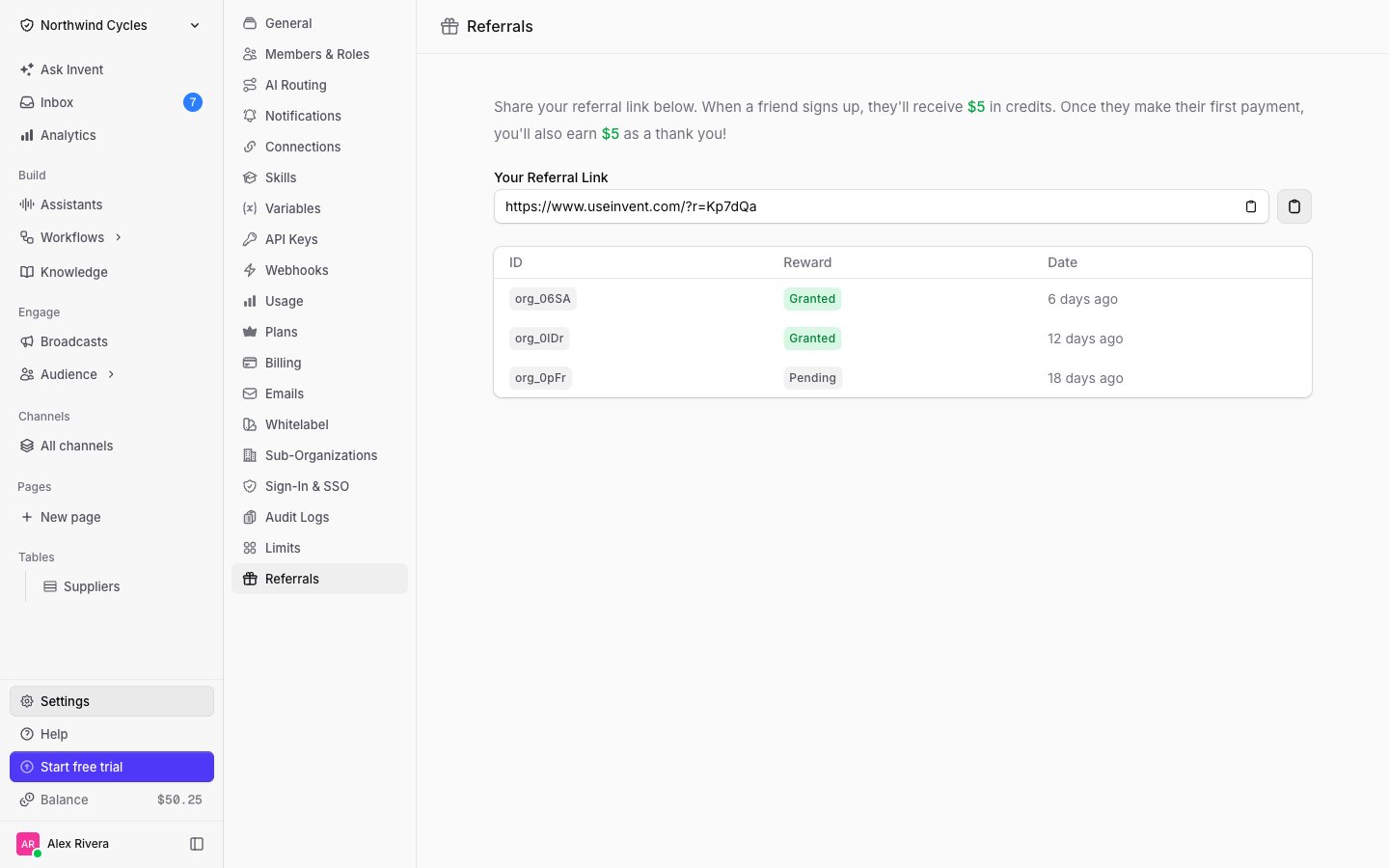 ## Your referral link
The link is your workspace's referral code appended to the Invent site, for example `https://www.useinvent.com/?r=Kp7dQa`. It is generated the first time you open the page and never changes, so it is safe to put in a newsletter, a blog post, or a partner agreement.
Use the copy button next to the field, then share it anywhere. Anyone who signs up after following it is attributed to your workspace.
The code travels with the visitor, so the link works from any page they land on next. You do not need to send people to a special signup page.
## How the reward works
The new workspace receives its welcome credits, and the referral appears in your list as **Pending**.
Your reward is granted and added to your balance. The referral flips to **Granted**.
The current amounts are always shown at the top of the page, above your link.
The reward is tied to the **first payment**, not to signup, so a referral can sit at **Pending** for a while. That is normal and nothing is lost: it is granted whenever that workspace starts paying.
## Your referrals
The table lists every workspace attributed to you:
| Column | Meaning |
| :--------- | :----------------------------------------------------------------------------------------------------- |
| **ID** | A short identifier for the referred workspace. Names are never shown, so their workspace stays private |
| **Reward** | **Pending** until their first payment, then **Granted** |
| **Date** | When the referral was recorded |
A workspace can be referred only once, and your own workspace cannot use its own code.
## Where the credits show up
Granted rewards land on your workspace balance, next to any credits you bought. Track the balance and what it is spent on at [Settings → Usage](/workspace-management/usage-and-limits), and see the payment side at Settings → Billing.
## Next Steps
Watch what your workspace spends its balance on
How billing, plans and spending limits work
## Your referral link
The link is your workspace's referral code appended to the Invent site, for example `https://www.useinvent.com/?r=Kp7dQa`. It is generated the first time you open the page and never changes, so it is safe to put in a newsletter, a blog post, or a partner agreement.
Use the copy button next to the field, then share it anywhere. Anyone who signs up after following it is attributed to your workspace.
The code travels with the visitor, so the link works from any page they land on next. You do not need to send people to a special signup page.
## How the reward works
The new workspace receives its welcome credits, and the referral appears in your list as **Pending**.
Your reward is granted and added to your balance. The referral flips to **Granted**.
The current amounts are always shown at the top of the page, above your link.
The reward is tied to the **first payment**, not to signup, so a referral can sit at **Pending** for a while. That is normal and nothing is lost: it is granted whenever that workspace starts paying.
## Your referrals
The table lists every workspace attributed to you:
| Column | Meaning |
| :--------- | :----------------------------------------------------------------------------------------------------- |
| **ID** | A short identifier for the referred workspace. Names are never shown, so their workspace stays private |
| **Reward** | **Pending** until their first payment, then **Granted** |
| **Date** | When the referral was recorded |
A workspace can be referred only once, and your own workspace cannot use its own code.
## Where the credits show up
Granted rewards land on your workspace balance, next to any credits you bought. Track the balance and what it is spent on at [Settings → Usage](/workspace-management/usage-and-limits), and see the payment side at Settings → Billing.
## Next Steps
Watch what your workspace spends its balance on
How billing, plans and spending limits work