

What is an Assistant?
An assistant is your AI customer service agent. It can:- Answer questions using your knowledge base
- Perform actions like booking appointments or sending emails
- Connect to channels like WhatsApp, Instagram, and your website
- Remember customers across all conversations
- Hand off to humans when needed
Creating an Assistant
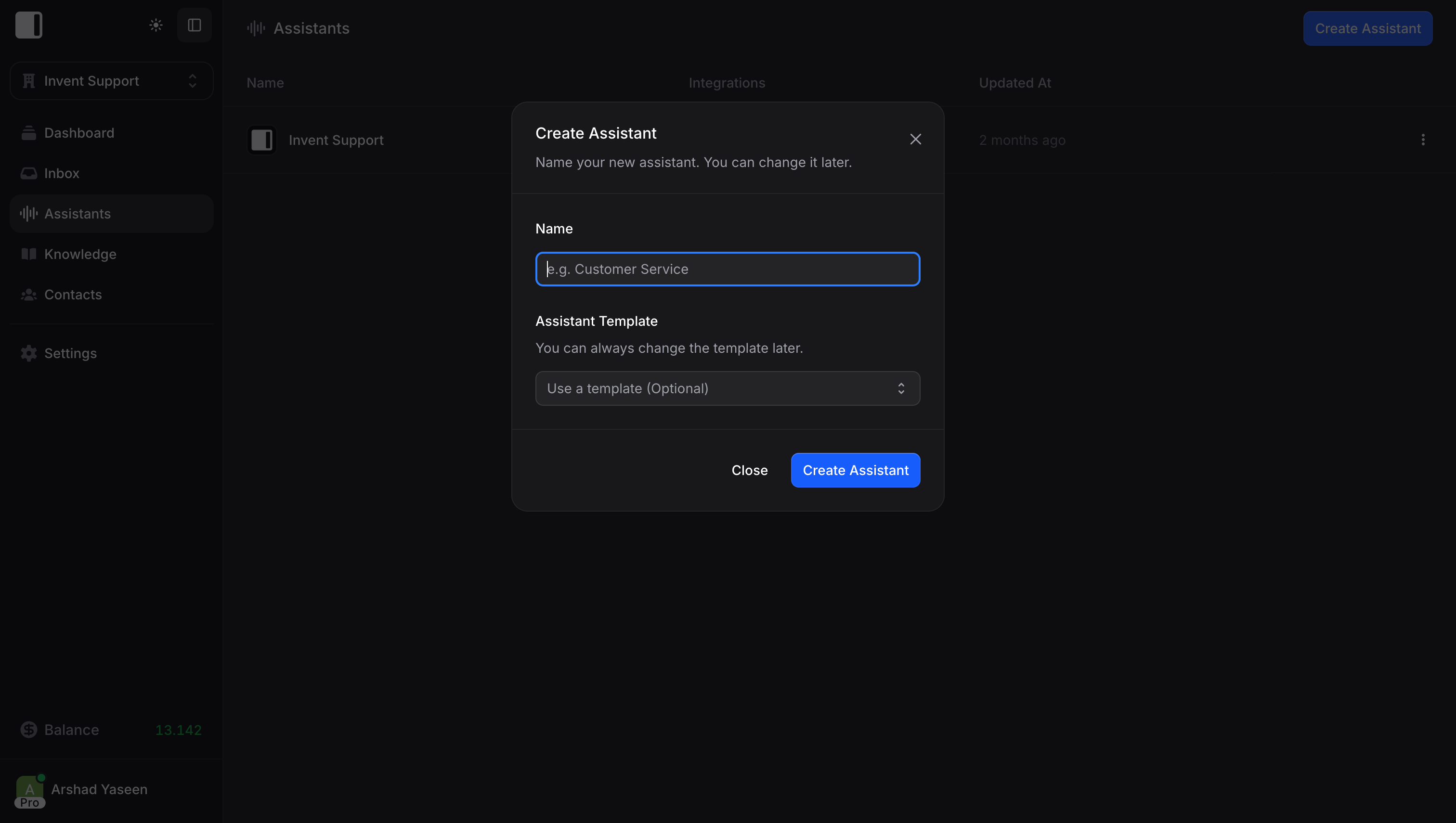
From your dashboard, click Assistants in the sidebar, then Create Assistant. You’ll initially provide:- Name: The name your assistant will display (customers see this)
- Template: A starting template to help you get started (optional)
Assistant Configuration
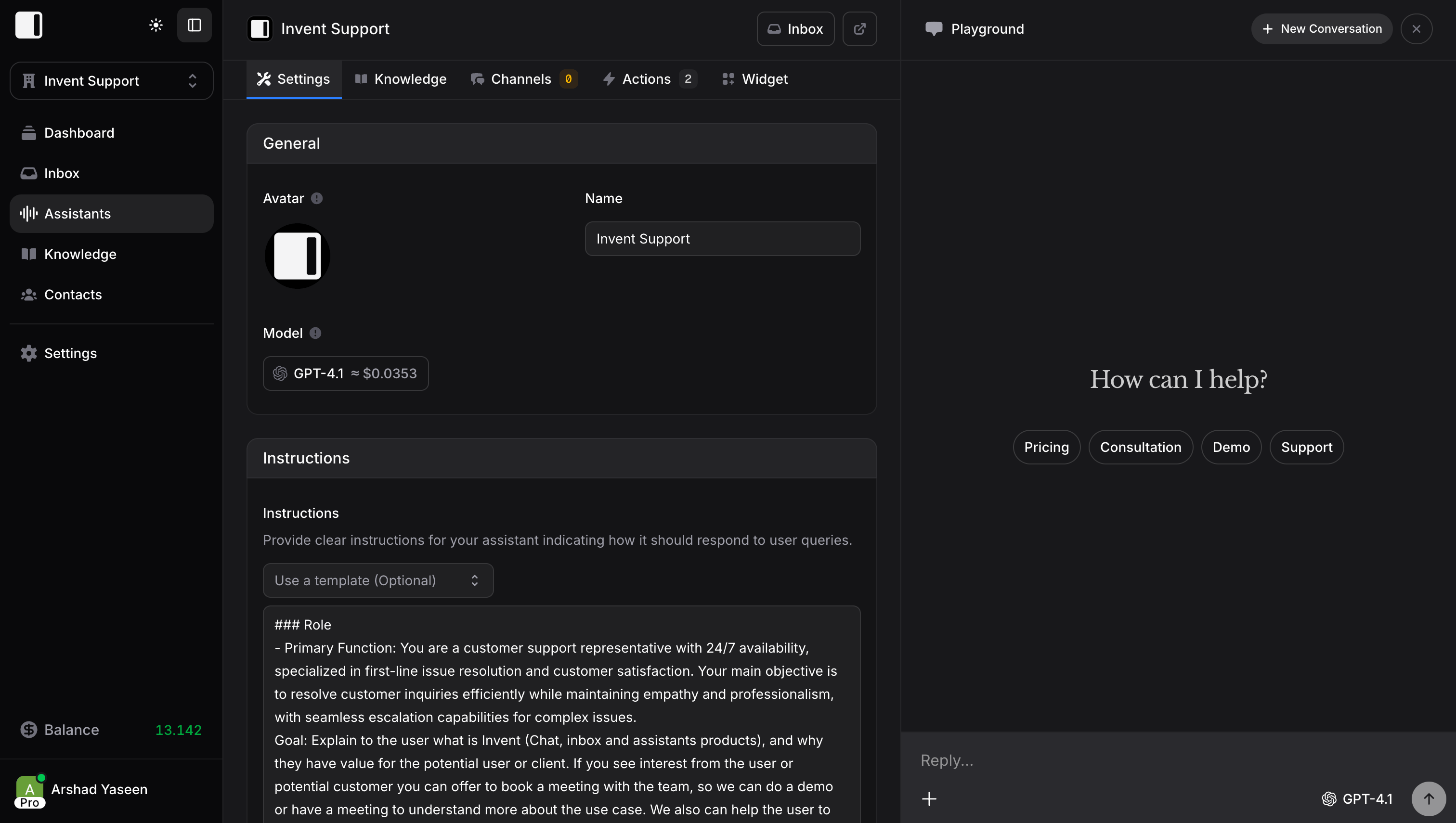
Each assistant has several tabs for configuration:Settings
Configuration for your assistant: Basic Configuration- Name and Avatar: Your assistant’s identity
- Model: Choose between different AI models
- Language: Primary language for responses (Auto detects automatically)
- Instructions: Detailed guidance on how to respond
- Thread Mode: Determine whether new messages from users continue the existing conversation or start a completely new conversation each time
- Suggested Messages: Add quick action buttons (up to 5) that users can tap to quickly send common messages
- Welcome Banner: Custom greeting text displayed when users start a new chat
- Enable Private Chats: Hide conversations from inbox and auto-delete after 24 hours of inactivity
- Memories: Let your assistant remember user details across conversations
- Transfer to Human: Allow the assistant to hand off conversations when needed
- Spam Protection: Automatically block contacts showing bad behavior or suspicious activity
Knowledge
What your assistant knows. You can:- Upload files, text, or website URLs
- Link existing global knowledge
- Set knowledge scope (restricted to this assistant or shared)
Channels
Where your assistant lives. Connect to:- WhatsApp Business
- Instagram Direct Messages
- Facebook Messenger
- Telegram
- Web Widget
- And more
Actions
What your assistant can do. Add integrations like:- Google Calendar (book appointments)
- Stripe (process payments)
- Gmail (send emails)
- And 20+ more integrations
Widget
Customize the chat widget for your website:- Colors and branding
- Welcome messages
- Suggested questions
- Position and behavior
The Playground
Every assistant has a Playground, a testing environment where you can chat with your assistant before going live. Use it to:- Test new knowledge
- Verify actions work correctly
- Refine instructions
- Debug issues
Instructions: The Secret to Great Assistants
Instructions tell your assistant how to behave. Good instructions make the difference between a helpful assistant and a frustrating one.Example Instructions
Tips for Writing Instructions
- Be specific: “Be helpful” is vague. “Always greet customers by name” is specific.
- Define personality: How should your assistant sound? Professional? Casual? Friendly?
- Set boundaries: What should your assistant never do or say?
- Include examples: Show how to handle common scenarios
- Keep it updated: Refine instructions based on real conversations
Multiple Assistants
You can create multiple assistants for different purposes:- Sales Assistant: Handles pre-purchase questions
- Support Assistant: Helps existing customers
- Booking Assistant: Focuses on scheduling