What You Can Manage
Organization Settings
Configure your organization’s basic information at useinvent.com/o/settings:- Organization Name: The name of your organization
- Organization ID: Your unique identifier for API access
- Delete Organization: Permanently remove your organization and all data
Members
Invite team members and assign roles:- Admin: Full access to all features
- Developer: Manage assistants, workflows, tables, connections, and domains — not billing or members
- Manager: Invite and manage Managers and Agents, view and respond to conversations
- Agent: View and respond to conversations
Notifications
Configure email and sound notifications for conversations assigned to you. Get notified when new messages arrive so you never miss an important customer interaction. Learn more about Notifications →AI Routing
Assign specific team members to handle conversations when human handoff is needed. This allows you to limit which agents have access to specific assistants. Learn more about AI Routing →Connections
View all external platform connections made through Assistant Actions and Channels. This centralized view shows every integration your organization has connected, including Google Drive, OneDrive, SharePoint, Airtable, Notion, Linear, and more. Learn more about Connections →Emails
Verify the addresses your organization sends email from, set a default sender, and add DKIM records so your domain signs every message. Learn more about Emails →API Keys
Generate API keys to programmatically interact with Invent. Use these keys to build custom integrations or automate workflows. Learn more about API Keys →Webhooks
Push organization events to your own endpoints, send test events, and inspect or replay every delivery. Learn more about Webhooks →Single Sign-On (SSO)
Let your team sign in through your identity provider: Okta, Microsoft Entra ID, Google Workspace, Auth0, and any other OIDC-capable IdP. Claim your email domains, configure SSO profiles, and decide which login methods your team is allowed to use. Learn more about SSO →Usage & Limits
Track your organization’s credit consumption and spending over time, broken down by what produced it, and see the resource ceilings your plan applies. Learn more about Usage & Limits →Spending Limits
Set a monthly limit per member and per assistant, on top of the organization’s own limit. Each one resets on the 1st of the month. Learn more about Spending Limits →Billing
Manage your payment method, subscription, and view billing history. Set up auto-recharge to automatically add credits when your balance drops below a threshold. You can also set a Monthly Spending Limit to cap how much your organization can spend per calendar month.Plans
View available pricing tiers and manage your subscription. Invent offers Pay As You Go and Business plans with different limits for assistants, channels, members, and more. Learn more about Plans & Pricing →White Label
Customize your organization’s branding with custom domains and personalized appearance:- Domains: Add custom domains for whitelabel emails and portals
- Customization: Upload your logo, set contact email, address, terms of service, and privacy policy
- Modules: Turn whole sections of the product on or off for this organization
Audit Logs
Monitor all activity in your organization with a detailed log of every action taken by team members. Track changes to assistants, settings, members, and more, with filters for date range and action type. Learn more about Audit Logs →Sub-Organizations
Create and manage independent sub-organizations under your parent organization. Each sub-organization has its own members, billing, assistants, and settings. Ideal for agencies managing clients or businesses with separate departments. Learn more about Sub-Organizations →Referrals
Share your organization’s referral link and earn credits when the organizations you refer start paying. Learn more about Referrals →Accessing Settings
Click Settings in the left sidebar of your dashboard, then choose the category you want to manage from the secondary sidebar. You can also access settings directly at useinvent.com/o/settings.Organization Search
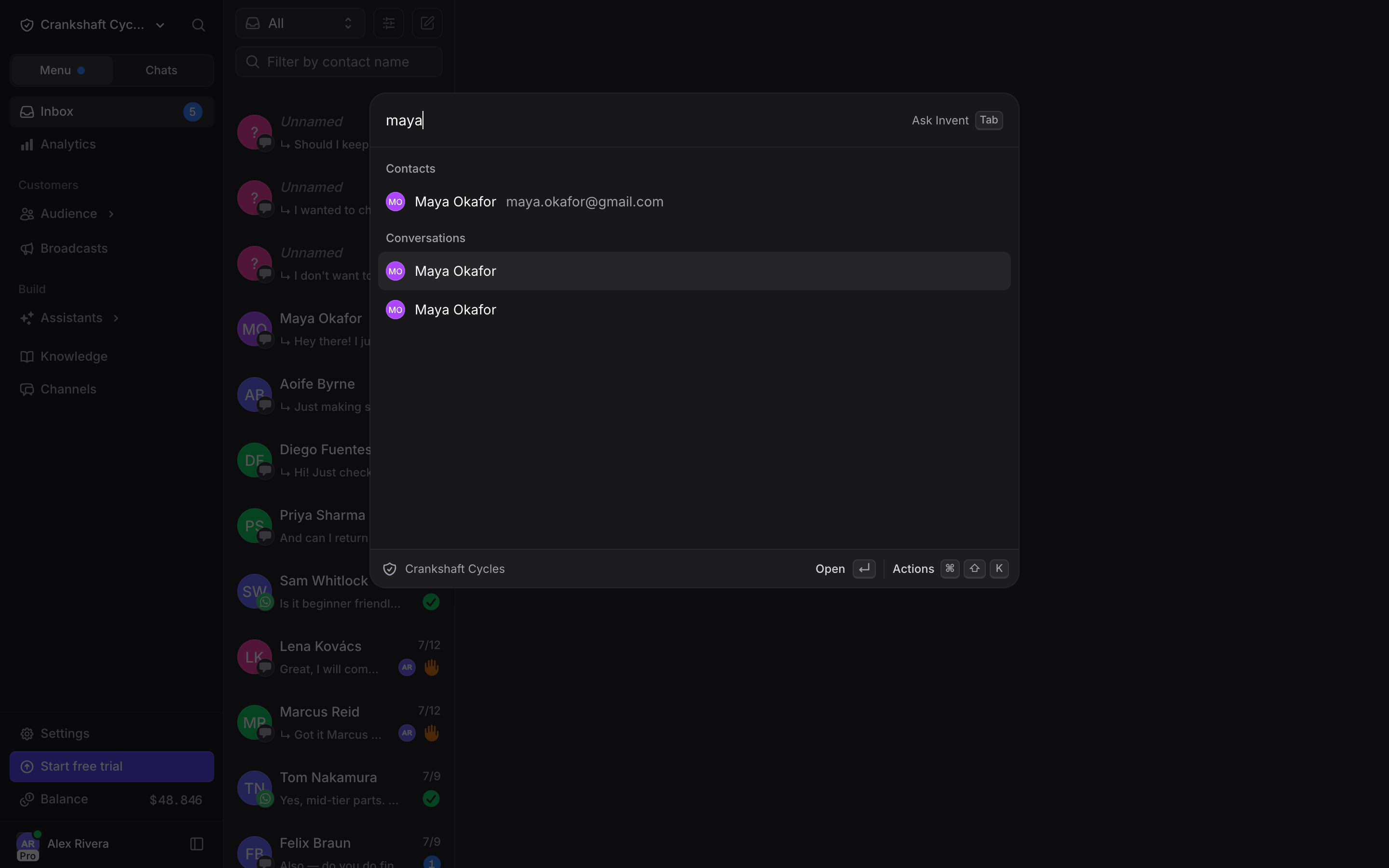
Click the magnifier next to your organization’s name at the top of the sidebar, or press ⌘K on Mac (Ctrl+K elsewhere), to jump anywhere in the organization. Type to find:- Pages in the sidebar and in Settings
- Contacts, by name, email or phone
- Inbox conversations
- Assistants
- Broadcasts