

Plans
Pay As You Go
Perfect for low-volume usage and occasional use. Pricing: From $0.0009/message Credits: 100 free messages/month Includes:- 1 Assistant
- 1 Channel
- 5 Members
- 10 Actions
- 250 Contacts
- Contact Memories
- Knowledge Base (100 MB)
- Unified AI Inbox
- Integrations
- API Access
- Chat Bubble Widget
- Chat In-Site Widget
- Email Support
Business
For businesses and teams with access to higher limits and features. Pricing: $29/month Credits: $29 usage credits/month Includes everything in Pay As You Go, plus:- Unlimited Assistants
- Unlimited Channels
- Unlimited Members
- Unlimited Actions
- Unlimited Contacts
- Knowledge Base (2 GB)
- Slack Support
- Remove “Powered by” branding
Enterprise
For businesses needing enterprise-grade features and dedicated support. Features:- SLA with 99.9% uptime guarantee
- 24/7 priority support
- Single Sign-On (SSO)
- Dedicated account manager
- Custom integrations
- Advanced analytics and reporting
- Onboarding and training services
- Custom Domain
- Whitelabel
How Credits Work
Both Pay As You Go and Business plans use credits. Each message your assistant sends or receives consumes credits based on the AI model used and the message complexity. Typical costs:- Simple text message: ~$0.0009
- Message with knowledge retrieval: ~$0.002
- Message with action execution: ~$0.003
Auto-Recharge
Enable auto-recharge to automatically add credits when your balance drops below a threshold. This ensures your assistants never stop working. To set up auto-recharge:- Go to Settings → Billing (useinvent.com/o/settings/billing)
- Click Edit next to the auto-recharge settings
- Set your minimum balance threshold (default: $10)
- Set your recharge amount (default: $10)
- Save changes
Usage Tracking
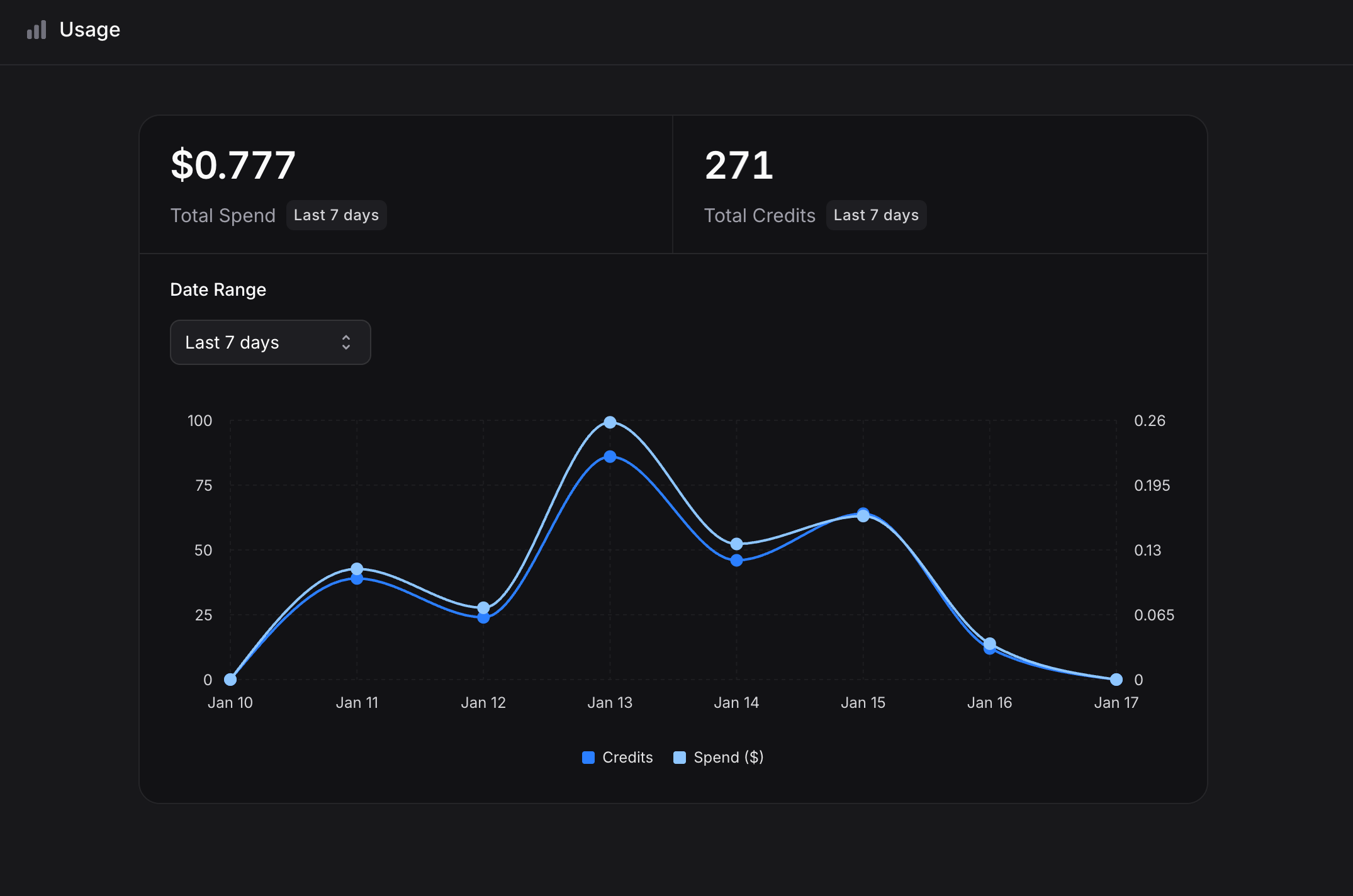
Monitor your credit consumption in Settings → Usage (useinvent.com/o/settings/usage). View:- Total Spend: Amount spent in the selected period
- Total Credits: Credits consumed in the selected period
- Usage Graph: Daily breakdown of credits and spending
- Date Range: Filter by Last 7 days, Last 30 days, Last 60 days, Last 90 days, Last year, Year to date, Last 3 years, or custom range
Billing History
View past invoices and receipts in Settings → Billing (useinvent.com/o/settings/billing). Each transaction shows:- Type: Subscription or System (auto-recharge)
- Amount: Charge amount
- Date: When the charge occurred
- Receipt: Download invoice
Payment Methods
Update your payment method anytime at useinvent.com/o/settings/billing:- Go to Settings → Billing
- Click Change Payment Method
- Enter your new card details
- Save changes
Upgrading and Downgrading
To upgrade to Business:- Go to Settings → Plans (useinvent.com/o/settings/plans)
- Click Manage Plan under Business
- Confirm your upgrade
- Go to Settings → Plans (useinvent.com/o/settings/plans)
- Click Downgrade under Pay As You Go
- Confirm your downgrade