

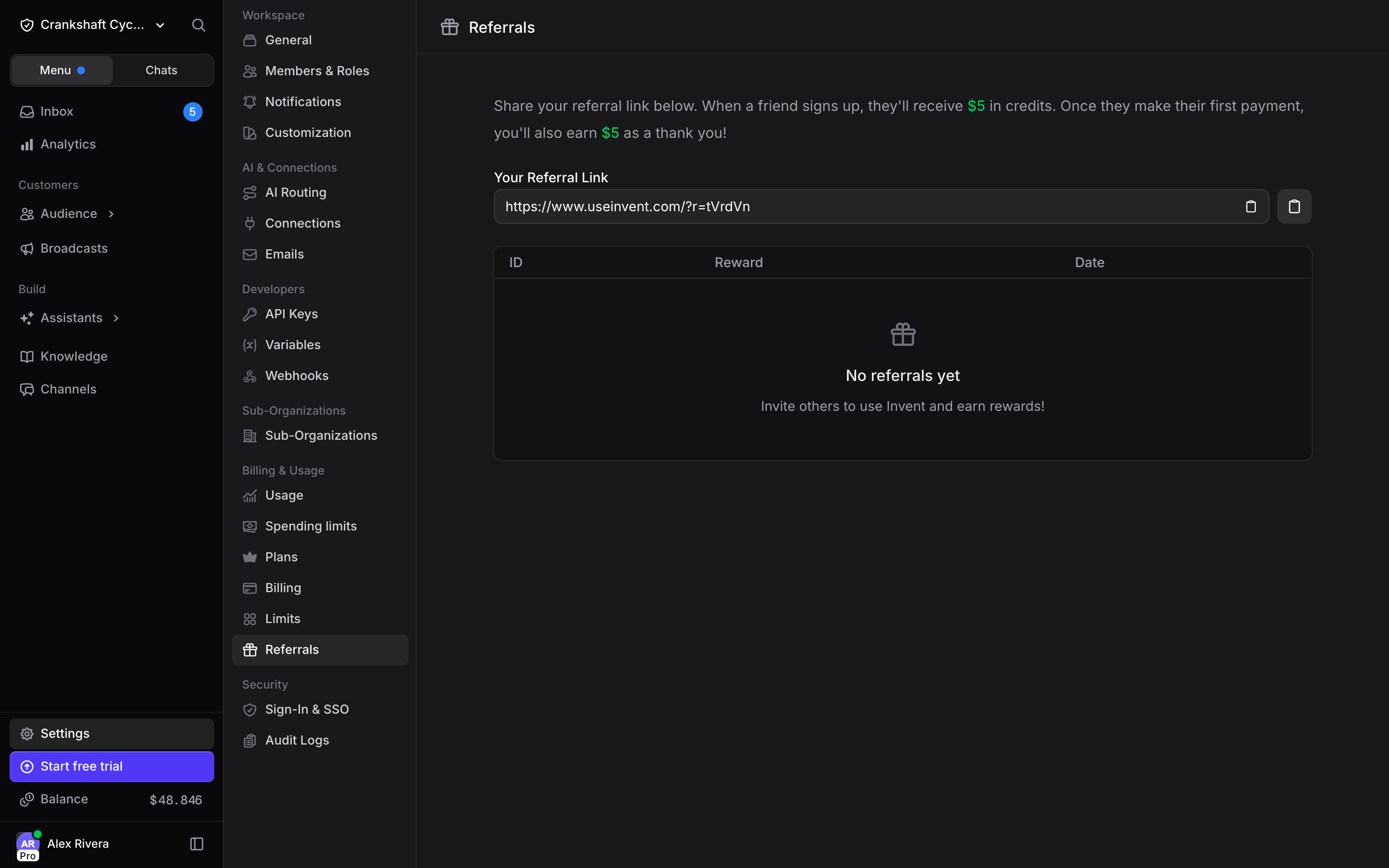
Your referral link
The link is your organization’s referral code appended to the Invent site, for examplehttps://www.useinvent.com/?r=Kp7dQa. It is generated the first time you open the page and never changes, so it is safe to put in a newsletter, a blog post, or a partner agreement.
Use the copy button next to the field, then share it anywhere. Anyone who signs up after following it is attributed to your organization.
How the reward works
1
They sign up through your link
The new organization receives its welcome credits, and the referral appears in your list as Pending.
2
They make their first payment
Your reward is granted and added to your balance. The referral flips to Granted.
Your referrals
The table lists every organization attributed to you:
An organization can be referred only once, and your own organization cannot use its own code.
Where the credits show up
Granted rewards land on your organization balance, next to any credits you bought. Track the balance and what it is spent on at Settings → Usage, and see the payment side at Settings → Billing.Next Steps
Usage & Limits
Watch what your organization spends its balance on
Pricing and Plans
How billing, plans and spending limits work